
How to reserve a DOI
Reserving a DOI is the best way to add a reference to your data or other outputs in a manuscript submitted for publication. On the upper right side of the metadata entry page click the ‘Reserve DOI’ or, if you are at an institution you may see a ‘Manage Identifiers’ link.
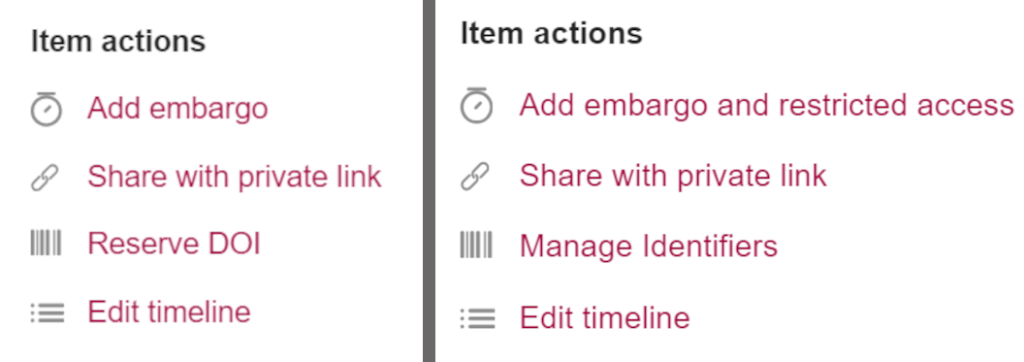
Image caption: Find the Reserve DOI link in the upper right of the metadata entry page. Left image: the Reserve DOI link that is the default for all accounts. Right image: the Manage Identifiers link that replaces the Reserve DOI link for users at some institutions.
With the Item Type Based Metadata release, Figshare institutions will see the following Item actions menu, including an option to Manage Identifiers.
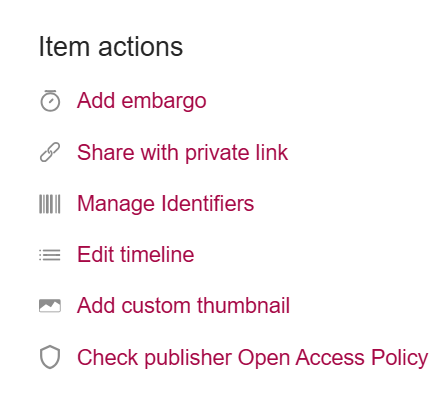
Image caption: In the Item Type Based Metadata release, institutions will see an Item actions list that includes a Manage Identifiers link.
Clicking either will open a pop up with some information on using the DOIs and the option to reserve one. Here’s is the view for figshare.com accounts and some accounts in institution Figshare repositories:
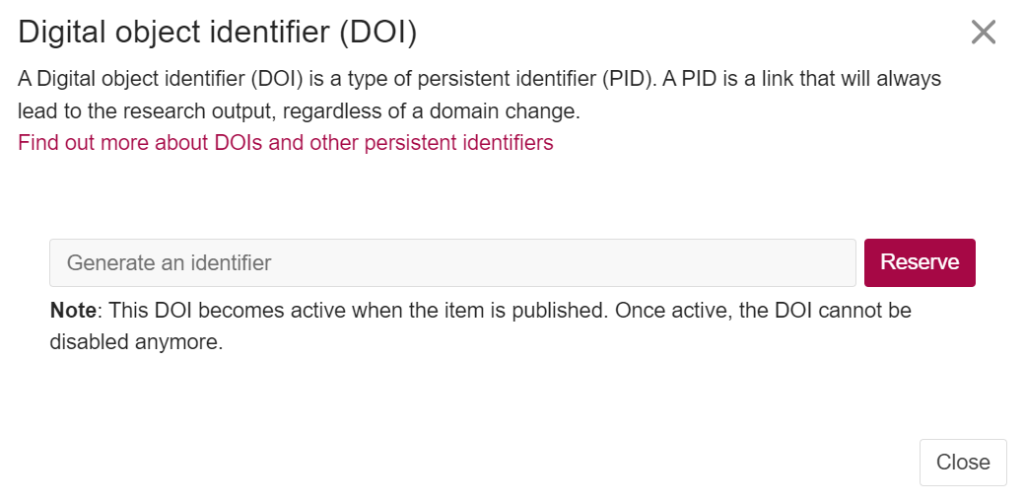
Image caption: figshare.com accounts and other default accounts will see this pop up after clicking Reserve DOI.
If you are using your institution’s Figshare repository, you may see additional options depending on how your administrators have configured the repository. In addition to reserving a DOI, institutional users may have the option to add a pre-existing DOI or Handle:
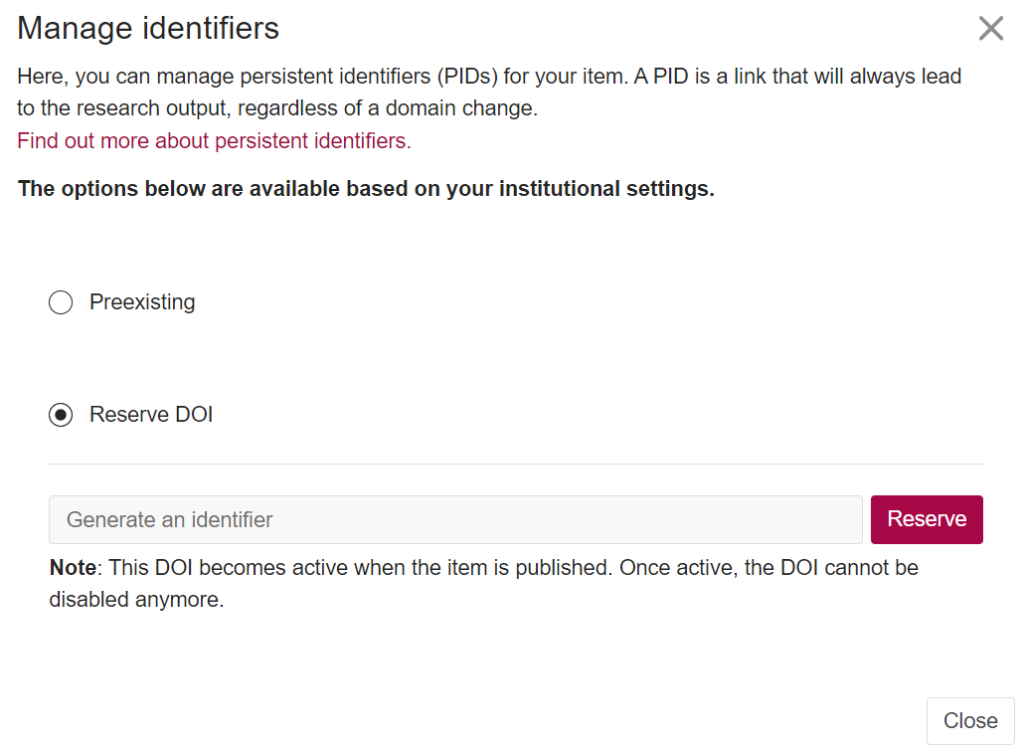
Image caption: For accounts at some institutions, the Manage identifiers will open a pop up with options to use a preexisting DOI or reserve a DOI.
Once a DOI is reserved and before the item becomes public, you can disable the DOI if needed.

